
In RakefetOnline, Funds are used to help track money by purpose, restriction, or designation, so your congregation can organize finances more clearly and report on them more accurately.
A fund can be used for things such as:
- General Operating
- Building Fund
- Rabbi’s Discretionary Fund
- Scholarship Fund
- Youth Fund
- Memorial Fund
Using funds allows you to separate transactions and balances that belong to different areas of your organization, even while keeping everything inside your overall accounting system. This can be especially helpful for restricted donations, special projects, and internal financial reporting.
In general, funds help your shul:
- organize income and expenses by purpose
- track restricted and unrestricted money
- improve financial reporting
- maintain clearer, more accurate records
The Fund setup is accessible by going Setup-->GL / Budget / Payables and clicking on the submenu Funds.
Funds are like departments. A way to group like accounts to watch the flow of revenue in and out to see the net.
There are two types of Fund groups: GENERAL and RESTRICTED.
General Funds, fiscal year after fiscal year, will reset at zero, while Restricted Funds will maintain their value and apply the net to a retained equity account. These accounts are created within the software when you mark a Fund to be restricted and will start with a Q. Also, throughout the software, Restricted Funds on reporting tools may be found either red or with a leading "*" to the Fund description.
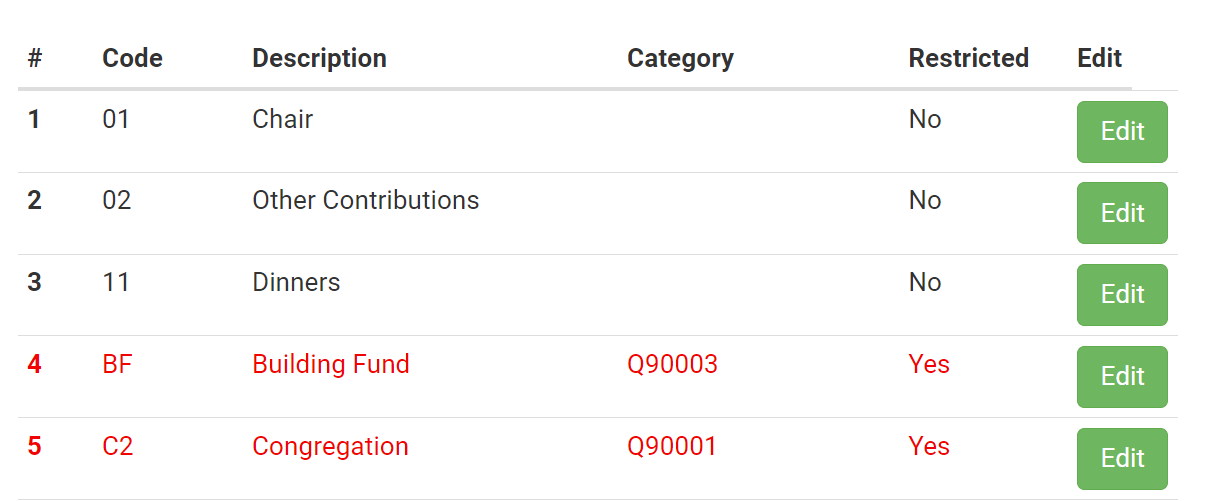
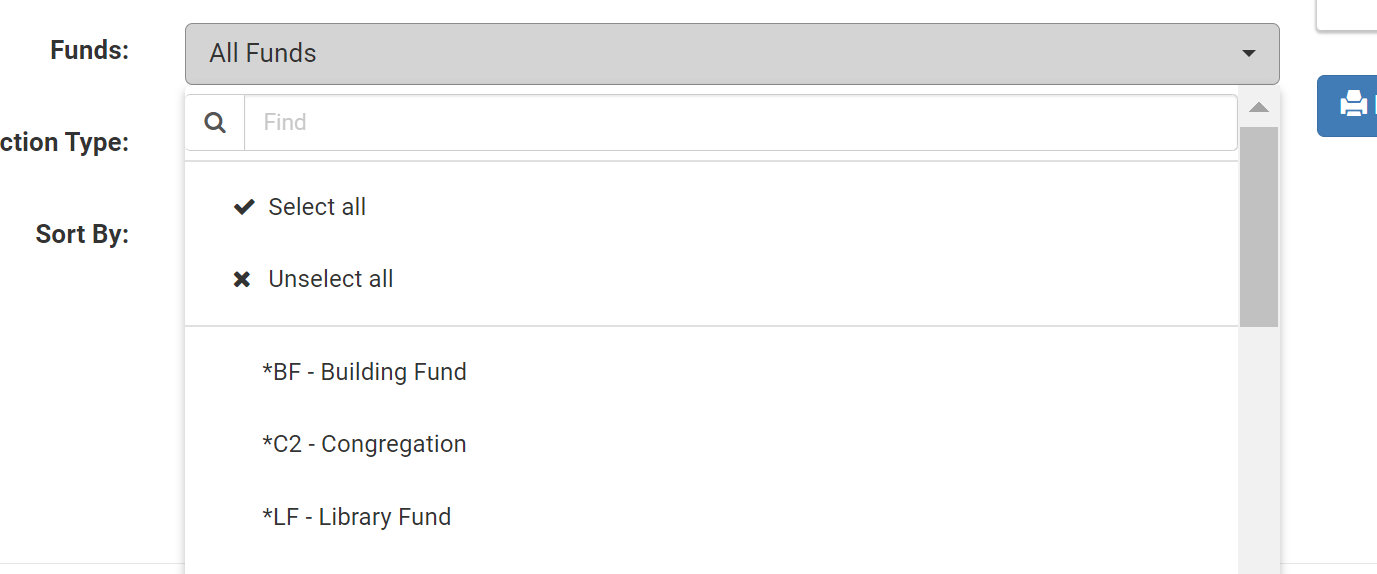
Creating a Fund
- When in the Fund page, click +Add New Fund.
- Enter the two character Fund Code (letters and / or numbers).
- Provide a Description.
- Turn the Restricted Switch to blue if the Fund is a Restricted Fund.
- Click the +Add to save.
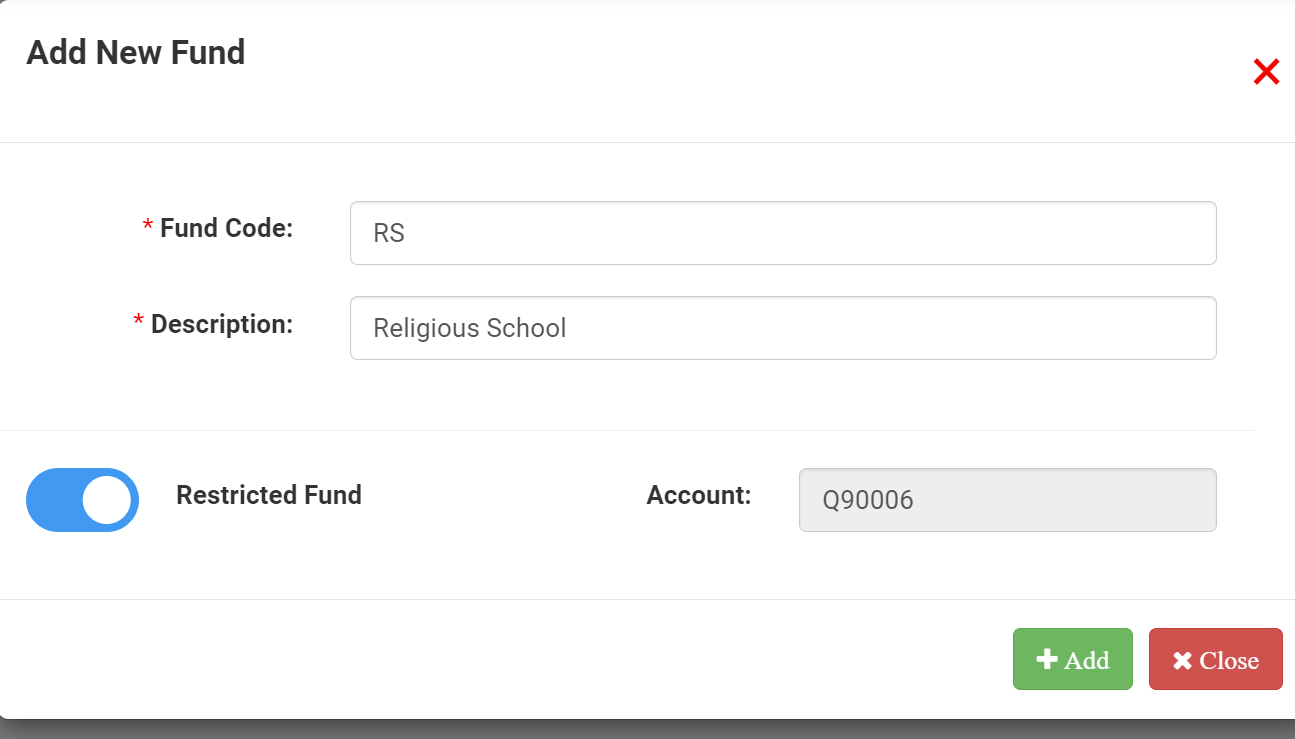
Note: If you need to Edit a Fund, this is the same location to Edit or modify it.
Linking One or More Accounts to a Fund Once funds have been defined, you can link income and expense accounts to them. This is done in the Chart of Accounts page. |