How to Add a Donation or Payment to a Family Profile
In RakefetOnline, you can add a donation or payment directly within a family’s profile, or through the Transaction History, Payments, or Allocate Payments pages.
To enter a payment from within a family profile, start by opening the Family Profile and selecting the Account submenu.
Next, click the +Add Transaction button.
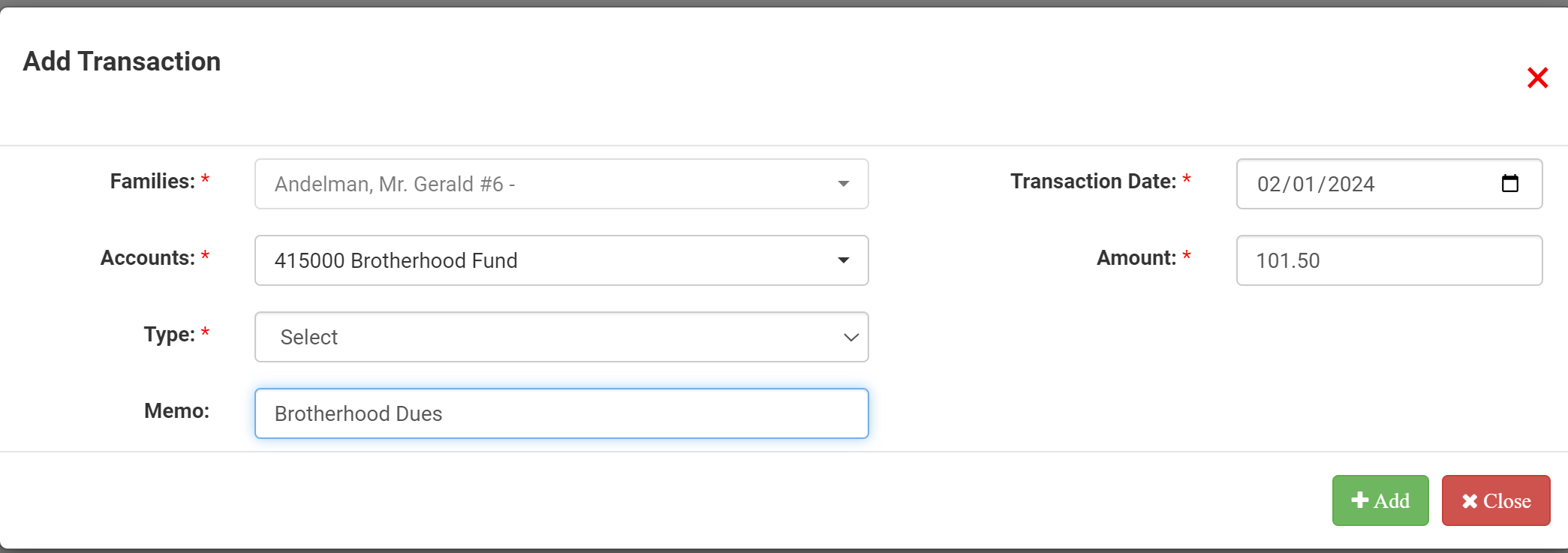
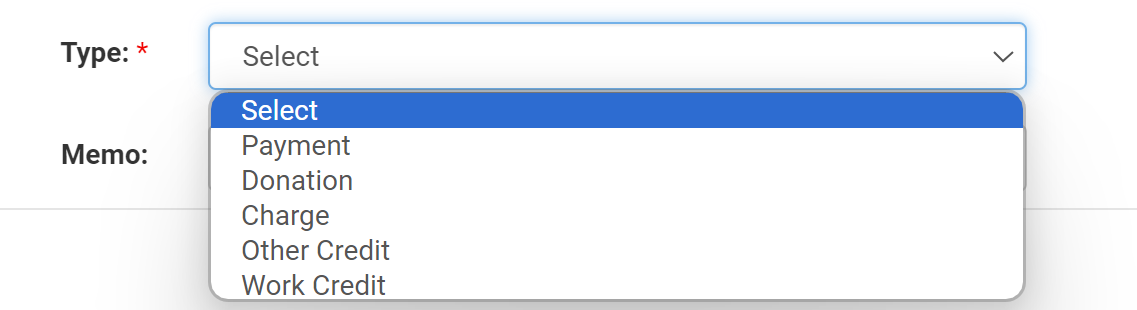
When the payment card opens, enter the transaction details. Select the appropriate Account, then choose the Type, such as Donation, Payment, Work Credit, Other Credit, or Charge. After that, fill in the Date, Amount, and Memo fields.
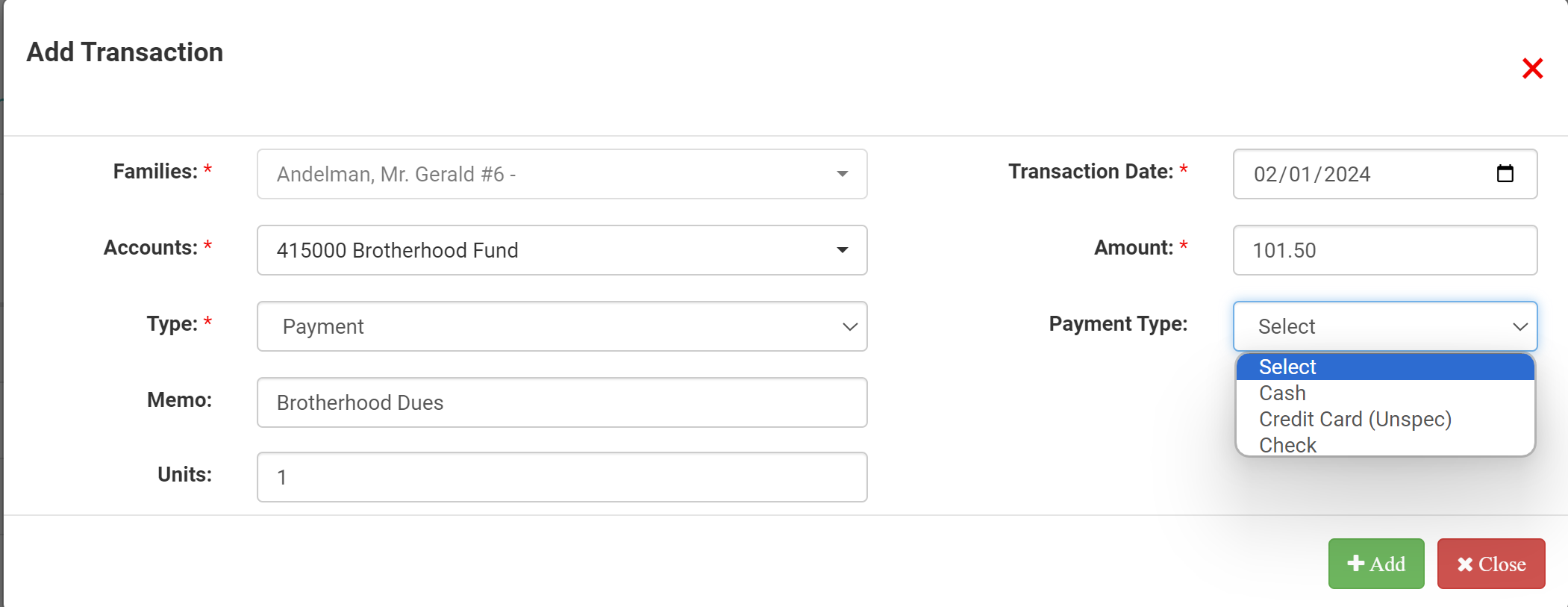
Under Select for Payment Type, additional options will appear based on your selection. For example, choosing Payment or Donation will allow you to specify how the contribution was made, such as check, cash, credit card, or another payment method.
Once all details are complete, click +Add to save the transaction.
After the entry is successfully posted, a confirmation message will appear.

Then click on the +Add Transaction button.

After clicking on the +Add Transaction button, fill in the payment card for the Family. Select the Account, Type (Donation, Payment, Work Credit, Other Credit or Charge), and then add the date, amount and memo.
Under the Select for Payment Type will give more options. For example, selecting a Payment or Donation will allow you to select how the contribution was made.
To complete the posting, click the +Add button to save.

Once completed, you will receive a confirmation of post message: