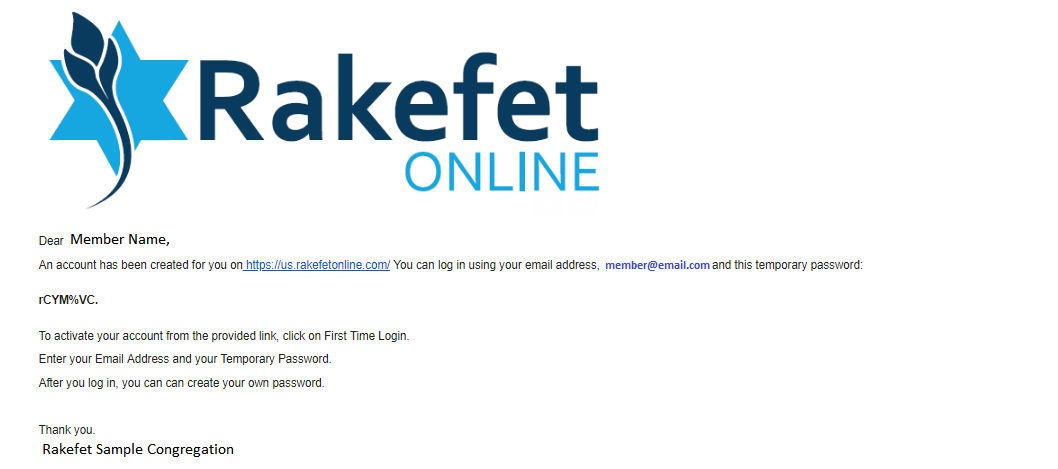
RakefetOnline has two types of invites. Once invite may ask you to click a link to create an account and another will ask you do follow steps for a First Time Login.
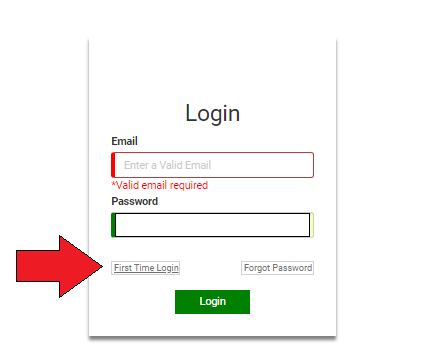
If you received an invite with a First Time Invite, you will have instruction to click on the First Time Login link on our sign-in page. From there, users will need to enter the email they were invited with and use the Temporary Password to create their account.
Here are the steps below for First Time Login for both RakefetOnline Hybrid and RakefetOnline:
- Go to RakefetOnline website rakefetonline.com
- Click on the menu item to Sign In for your server (or use your First Time Login email invitation)
- While your invite should include the link for your country's server you may need to go directly though our website. If so, select the server that fits your organization's location. For example, select the US Server if you are in the United States.
- For First Time Users:
- Click "First Time Login"
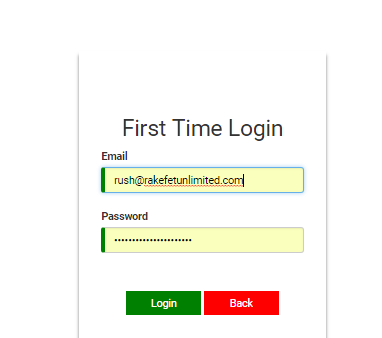
- Enter your Email and Temporary Password
- Enter the Temporary Password and Your New Updated Password
- Once completed, you will be in the system
- If you already have a password, just continue to the Login
First Time Login Email Sample: